
Help Center & Support Platform
A Centralized Support System for Your Institution
Manage support requests, track resolution progress, and give your learners and staff a clear, reliable channel for getting help.
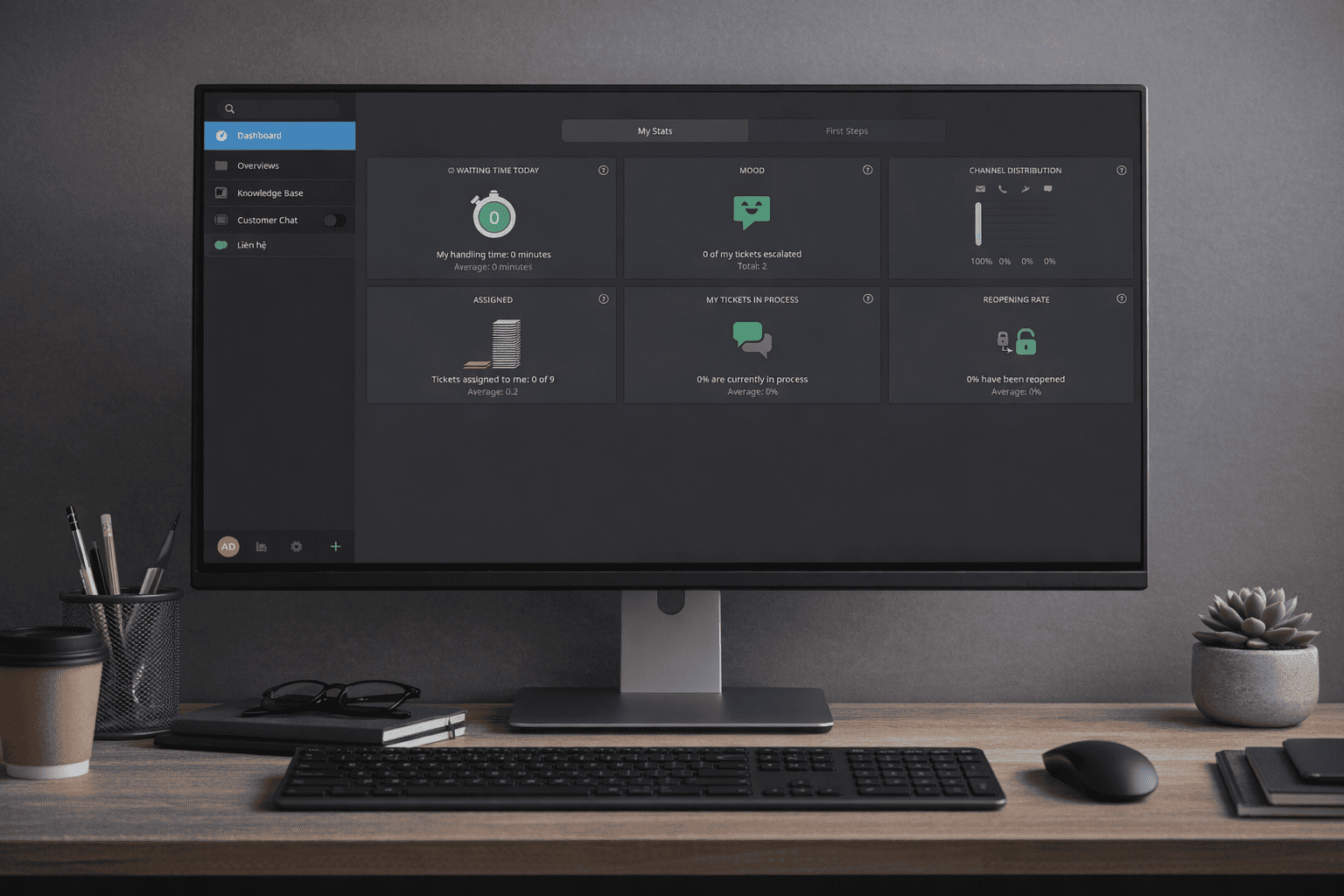
Support That Is Organized, Trackable, and Accountable
The Goamazing Help Center gives institutions a centralized system to receive, manage, and resolve support requests — with full visibility for both staff and users.
- Submit support requests via web form or email
- Track ticket status from submission to resolution
- Manage workload across support agents and teams
- Set priorities and service level expectations
- Collaborate internally with notes and agent handoffs
- Connect to your Documentation Portal for self-service
Built for Institutional Support Operations
Every capability is designed to give support teams structure, visibility, and the tools to respond consistently and professionally.
Ticket Management
Receive, assign, and resolve support requests through a structured ticketing workflow with clear ownership and status tracking.
Web-Based Submission
Allow learners and staff to submit support requests through a simple, accessible web form — no email thread required.
Email-to-Ticket
Incoming support emails are automatically converted into tracked tickets, ensuring no request goes unrecorded or unaddressed.
Status Tracking
Give users real-time visibility into the status of their submitted requests — from open, in progress, to resolved.
Agent & Admin Access
Assign support agents and administrators with appropriate access to manage tickets across departments and support queues.
Internal Collaboration
Add internal notes, reassign tickets, and coordinate across team members without exposing internal communication to requesters.
SLA & Priority Management
Define service level expectations and prioritize tickets by urgency to maintain timely, consistent responses across your team.
Reporting & Analytics
Monitor ticket volumes, resolution times, and agent workload with built-in reporting to identify trends and bottlenecks.
Submit, Track, Resolve
A straightforward workflow that keeps every support interaction organized and transparent — for users and agents alike.
Submit
Learners or staff submit a support request through the web portal or by sending an email. The system creates a ticket automatically and sends a confirmation.
Track
The requester can monitor their ticket's status at any time. Agents review, prioritize, and collaborate internally to prepare a response.
Resolve
The agent responds and closes the ticket upon resolution. The interaction is logged, and the analytics dashboard is updated accordingly.
What a Structured Support System Delivers
Moving support off informal channels and into a structured system improves the experience for users and the accountability of your team.
Transparency for Users
Every request is tracked and visible. Learners and staff always know the status of their issue — without needing to follow up repeatedly.
Accountability for Teams
Tickets are assigned, timestamped, and logged. Support teams have clear records of what was received, by whom, and when it was resolved.
Faster, More Consistent Responses
SLA settings and priority tiers help teams manage workload and maintain predictable response times across all request types.
Reduced Administrative Effort
Structured workflows replace ad-hoc communication — reducing miscommunication, duplicate handling, and lost requests.
Part of a Connected Support Experience
The Help Center works alongside your LMS and Documentation Portal — closing the loop between learning, reference content, and user support.
Connected to the LMS
Support agents have context when handling requests from enrolled learners. Course structure and institutional hierarchy carry over naturally into support workflows.
Linked to the Documentation Portal
Reduce ticket volume by directing users to relevant documentation. Agents can reference the same published content to ensure accurate, consistent answers.